

About AppScreenshots
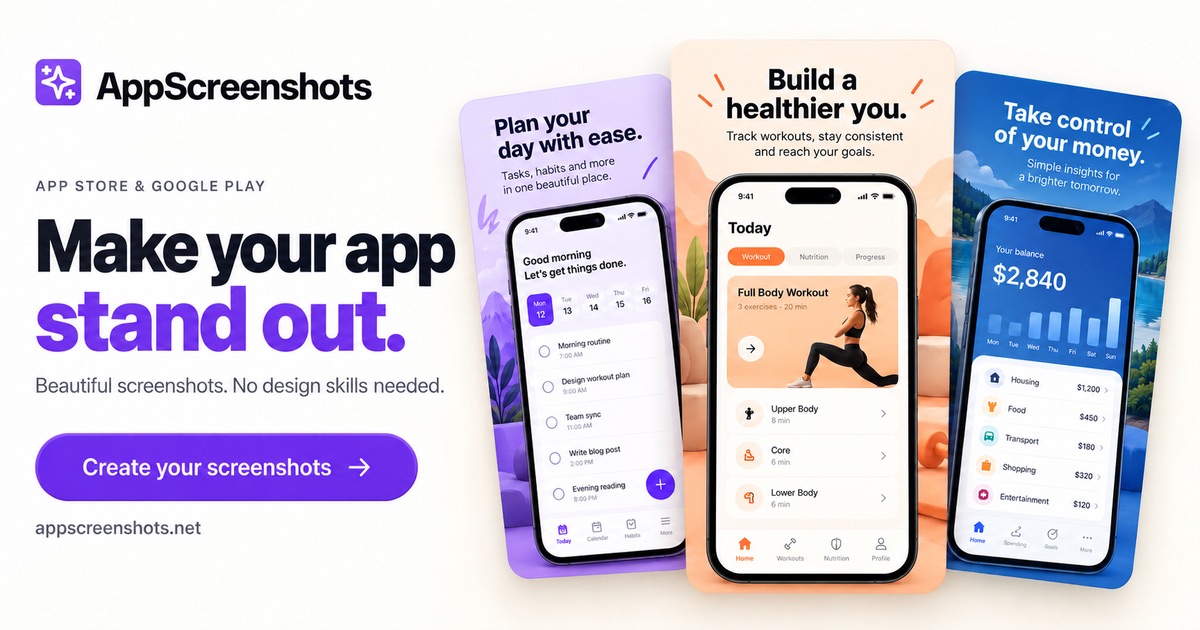
AppScreenshots is a design tool for Web, API and Figma plugin. App store screenshot generator for iOS, Android and more.
AppScreenshots turns real app captures into store-ready listing images in the browser. Upload captures, place them on a template or a blank canvas, add device frames, headlines and a background, then export PNG screenshots or a ZIP of PNGs. Presets are available for the App Store, Google Play, Huawei AppGallery and the Chrome Web Store, and exported dimensions can be checked against each store requirements. Core editing and local PNG export are free and need no account; a free account can keep up to one screenshot project and start one AI workflow, while paid plans raise those limits and add batch translation and multi-language ZIP export. The wider toolset includes an app icon generator, per-store screenshot resizers, a mockup creator, a feature graphic generator and a Figma plugin. A hosted Model Context Protocol server lets AI agents create, edit and review screenshot projects over OAuth.
App store listing images usually start from a blank canvas or a generic template, which makes a product look like every other product in the store. AppScreenshots solves that by letting a founder drop in real captures of their own app, frame them with device frames, add a headline and a background, then export the set as PNGs for the store console. The same editor covers Huawei AppGallery and Chrome Web Store listings, so one set of captures can be reused across stores instead of being redesigned for each one.
Indie app developers and small product teams preparing store submissions
At a glance
- Website
- appscreenshots.net
- Category
- Design Tools
- Pricing
- Freemium
- Founded in
- 2026
- Platforms
- Web, API, Figma plugin
- Founders
- Horace L
- Ownership
- Unclaimed ·
- Launched
- 25 Nov 2026
Questions about AppScreenshots
Answers from appscreenshots.net, AppScreenshots's own website.
What is AppScreenshots?
Create App Store and Google Play screenshots from real app captures. Add frames and headlines, export PNGs, and compare free and paid features.
Is AppScreenshots really free to use?
Use the basic editor and free templates in your browser and download one watermark-free PNG at a time without signing in. Sign in to save and reopen cloud projects. The standard Free allowance is 1 saved project. Accounts on the legacy Free allowance can save 2. Free includes 1 successful AI workflow in total per account.
What platforms and devices are supported?
Create listing images for App Store, Google Play, Huawei AppGallery and Chrome Web Store. Choose a preset for your target platform and verify the exported dimensions against its current requirements.
Do I need design skills to create professional screenshots?
Start from a template or blank canvas, upload your app captures, and edit headlines, backgrounds and device frames. AI layouts are drafts: replace sample screens with your real app UI before export.
How does the multi-language feature work?
Manage 14 project languages and edit the text for each one manually. Batch translation requires Pro or Lifetime. A multilingual ZIP requires Pro, Lifetime, or an active Launch Pass on the selected project. Review fonts and line breaks for each language.
Is my data safe? Where are my screenshots stored?
Local editing and export run in your browser. Cloud uploads, saved projects and AI features send the content needed for those features to our services.
Can I save and edit my projects later?
Sign in to save and reopen cloud projects. The standard Free allowance is 1 saved project. Accounts on the legacy Free allowance can save 2.
What export formats and sizes are available?
Each frame downloads as a PNG at its canvas size. A screenshot set for one language or several languages downloads as a ZIP of PNGs with Pro, Lifetime, or an active Launch Pass on the selected project.
Comments 1
From members who've used AppScreenshots. Be specific and kind; it helps people decide and helps the makers build.
Reading your listing, this is the line that stayed with me: “Create Professional iOS and Android App Screenshots in Minutes”. It says a lot about the problem you chose for indie app developers and small product teams preparing store. My one piece of advice: make the first minute prove the value before you ask people for anything. As you get started here, what do you most want the first people using AppScreenshots to notice?
Report