

About Photo to GIF
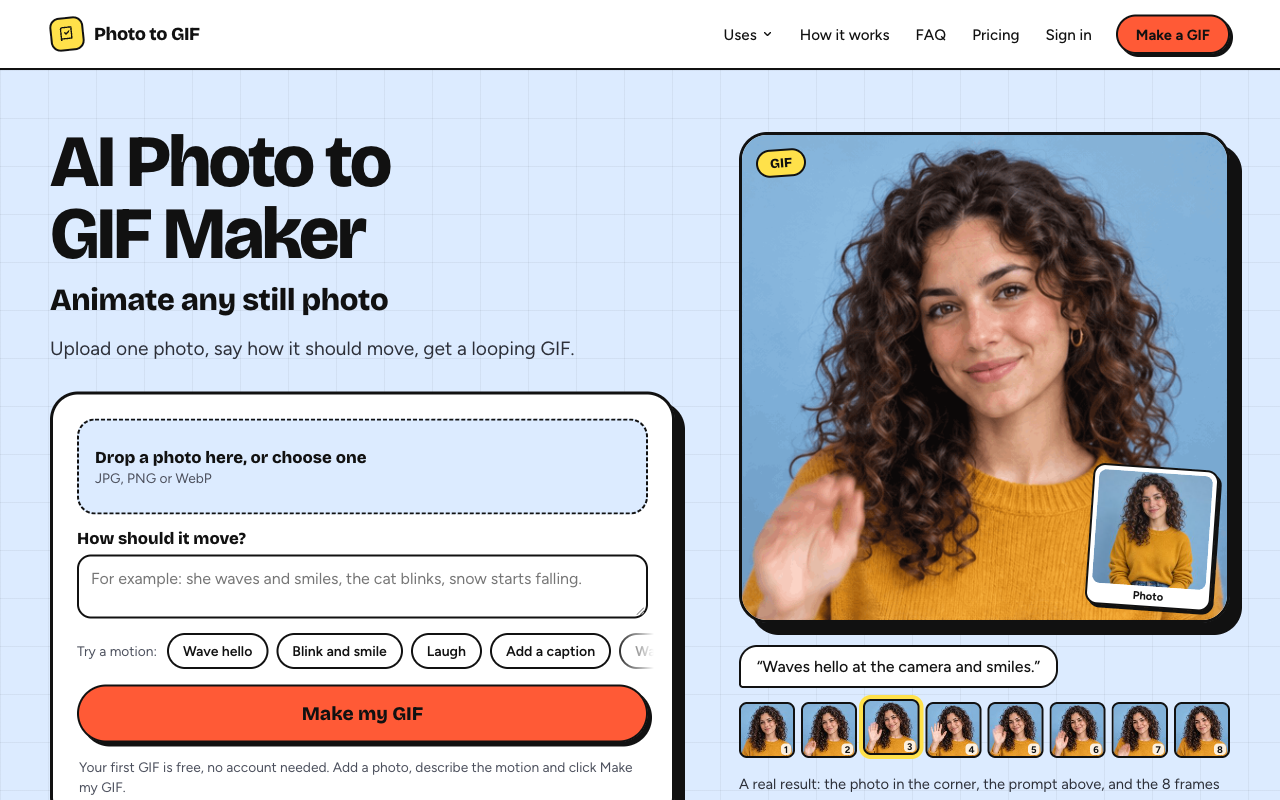
Photo to GIF is a video & photo product for Web. AI photo to GIF maker: animate any still photo into a looping GIF.
Photo to GIF is an AI photo to GIF maker. Upload one still photo and the tool animates it into a looping GIF: portraits smile, pets move, and old photos come alive. The first GIF is free.
People with a single still photo of a loved one, a pet or an old picture want it to move, but making a GIF by hand needs editing skills.
Anyone with a still photo who wants a looping animation
At a glance
- Website
- phototogif.app
- Category
- Video & Photo
- Pricing
- Free
- Founded in
- 2026
- Platforms
- Web
- Founders
- Jiawen Zhang
- Ownership
- Unclaimed ·
- Launched
- 21 Nov 2026
Questions about Photo to GIF
Answers from phototogif.app, Photo to GIF's own website.
What is Photo to GIF?
AI photo to GIF maker: upload one still photo and make portraits smile, pets move or old photos come alive as a looping GIF. First GIF free.
How do I turn a photo into a GIF?
Upload the photo above, describe the motion or tap a ready-made one, and click Make my GIF. Your first GIF needs no account. The AI draws the frames and returns a looping GIF.
Do I need a video?
No. Most GIF makers stitch together video clips or several photos. This one starts from a single still photo.
Is there a free photo to GIF maker?
Yes. Your first GIF here is free and needs no account, so you can see the result before you decide whether to buy credits.
Is this an image to GIF AI tool?
Yes. It works on one image at a time: a photo, a drawing or a product shot. The AI decides how each frame looks from your image and your description, so the result is an animated GIF of that image moving.
Can it turn several photos into one GIF?
No. It makes one GIF from one photo. To join several existing pictures into a slideshow GIF, a classic GIF converter is the better fit.
Will the GIF look exactly like my photo?
Close, but not pixel for pixel. Every frame is redrawn by the AI, so small details such as text, jewellery or background objects can shift. One clear subject and one small motion keep it closest to the photo.
Who sees my photo?
Your photo is sent to our AI provider to make the GIF. We do not publish it. Details are in the privacy policy.
Comments 1
From members who've used Photo to GIF. Be specific and kind; it helps people decide and helps the makers build.
Reading your listing, this is the line that stayed with me: “Photo to GIF is an AI photo to GIF maker”. It says a lot about the problem you chose for anyone with a still photo who wants a looping animation. My one piece of advice: make the first minute prove the value before you ask people for anything. As you get started here, what do you most want the first people using Photo to GIF to notice?
Report