

About Cuecaps
Cuecaps is a video & photo product for Web. Animated word-by-word captions for Shorts, TikTok and Reels, made in your browser so the video never uploads.
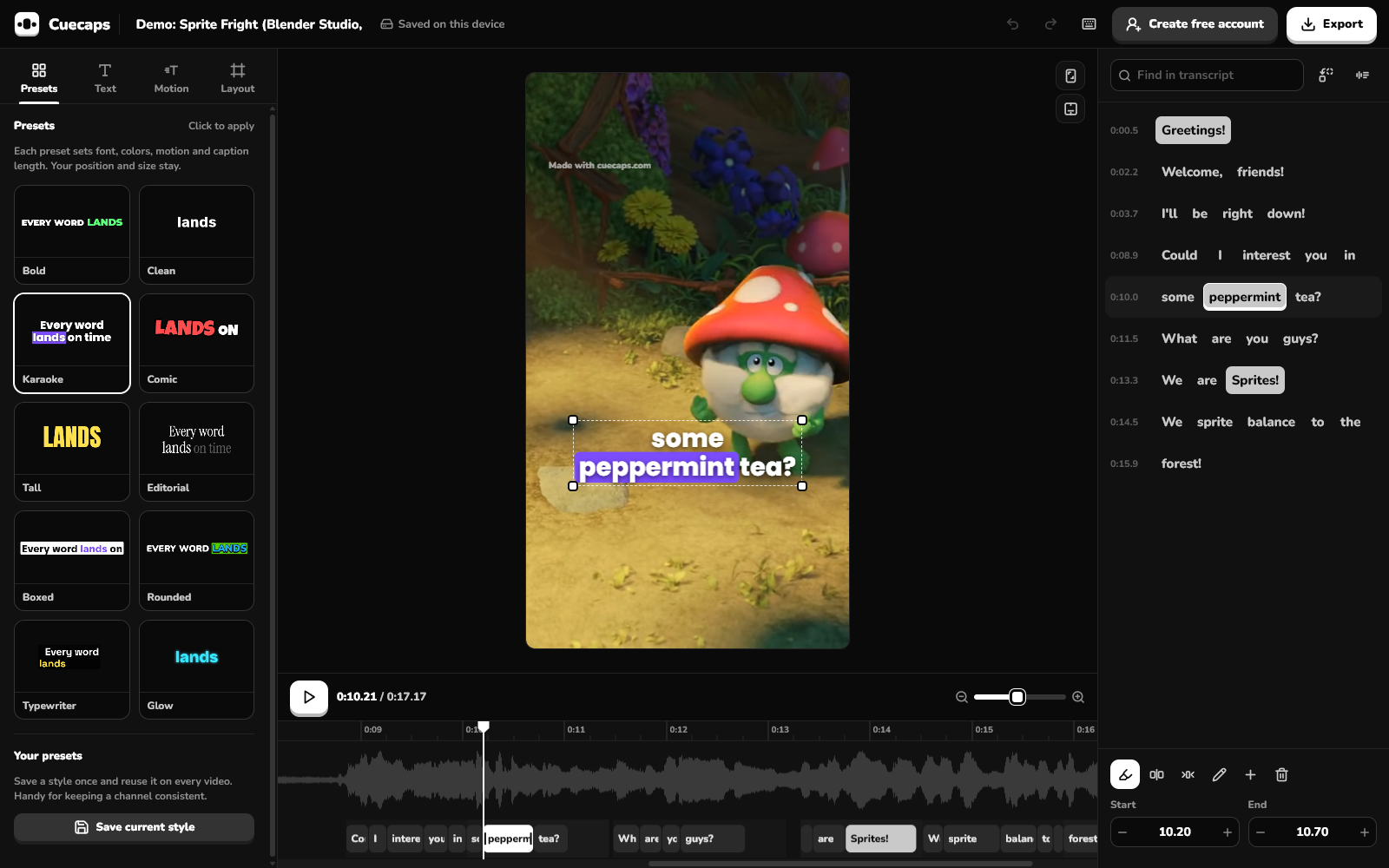
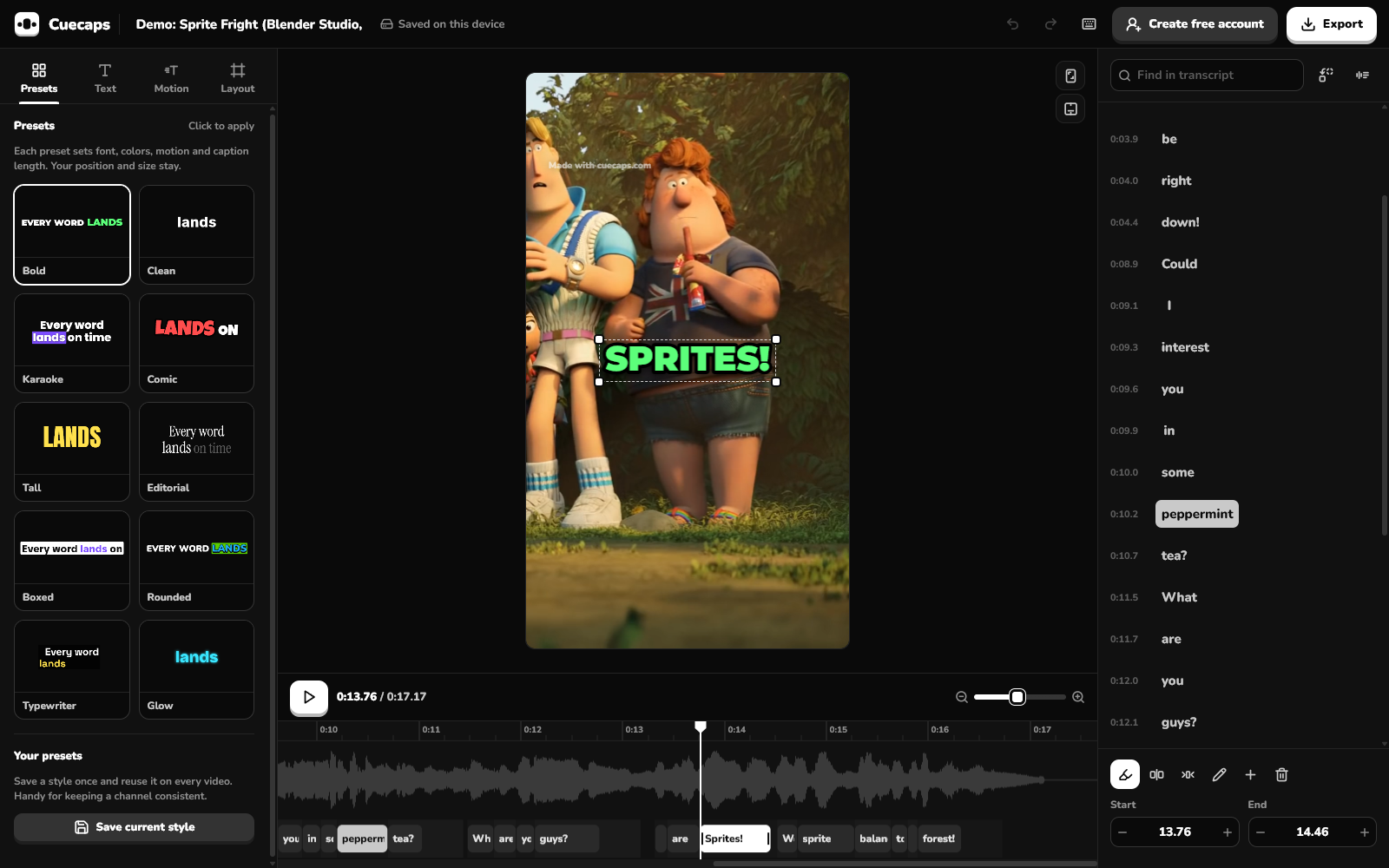
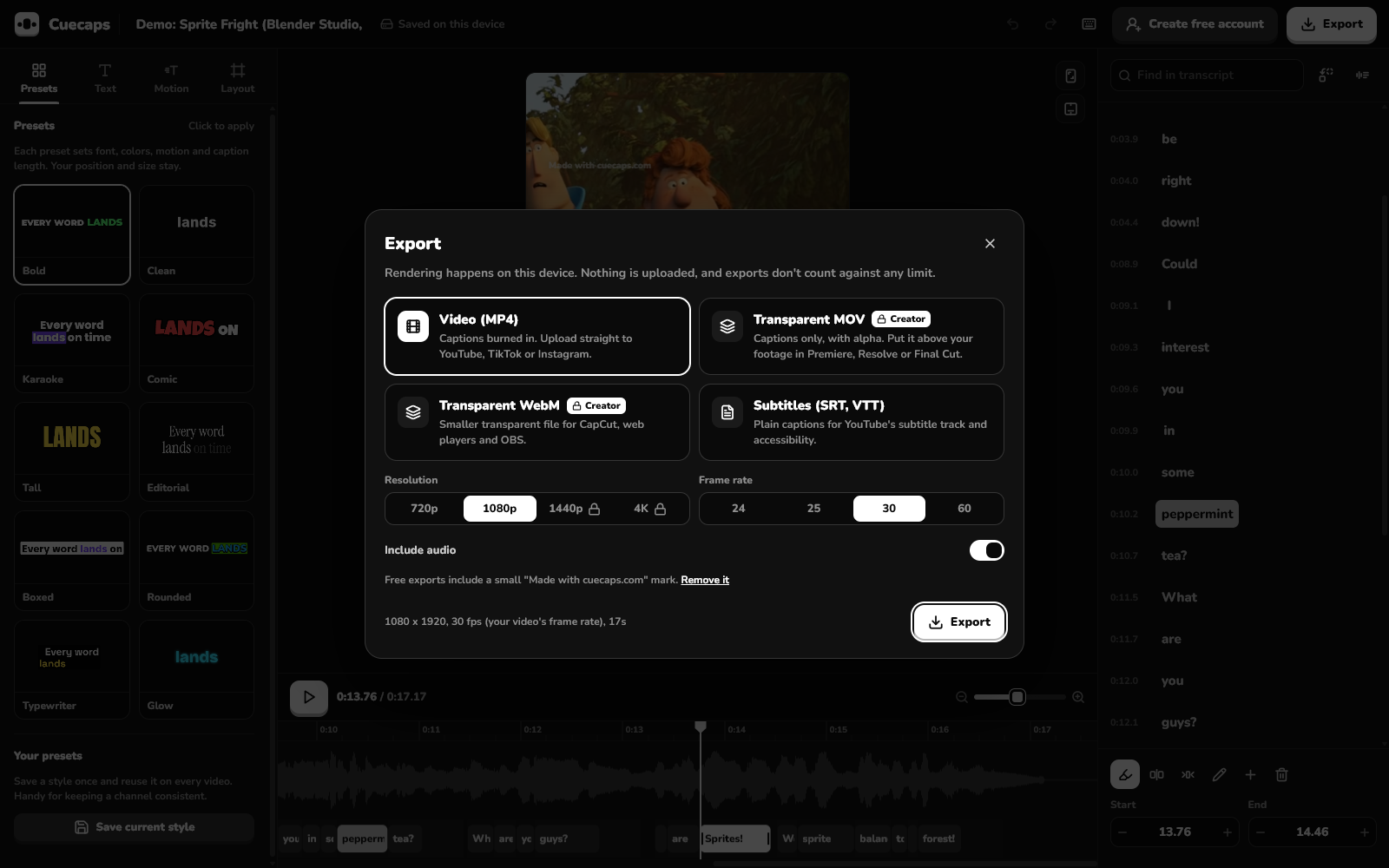
Cuecaps is a caption studio that runs in your browser. Drop in a video and it finds every word, times each one against the audio waveform and animates it in the style you pick. - Free, unlimited on-device transcription in 34 languages, plus cloud transcription in 90+ languages for noisy audio. - 18 caption styles, 24 fonts plus your own, eight entrance animations and five ways to highlight the word being spoken. - Every word sits on a waveform timeline: retime it, split, merge or emphasise it, and find and replace across the transcript. - Fast edit removes dead space, filler words and retakes, punches in on the jump cuts, levels the volume and cleans up background noise in the voice. - Export a burned-in MP4 up to 4K, a transparent overlay for Premiere Pro, DaVinci Resolve, Final Cut Pro and CapCut, SRT, VTT or ASS subtitles, or an EDL or FCPXML cut list. The free plan has unlimited exports up to 1080p with a small watermark. Creator and Pro remove the watermark and add Fast edit, transparent overlays, custom fonts and more cloud minutes. Works in Chrome, Edge and Safari on desktop and phone.
Most viewers watch short videos with the sound off, so creators need captions on every Short, TikTok and Reel. The usual tools mean uploading big files to a cloud editor, waiting on its render and paying per video, or captioning by hand in an editor one line at a time. Cuecaps does it in the browser: it transcribes on your own computer, times every word to the audio and renders the captioned video locally, with no upload and no per-video limit.
Creators, video editors and social media teams who post short videos every week
At a glance
- Website
- cuecaps.com
- Category
- Video & Photo
- Pricing
- Freemium
- Stage
- Bootstrapped
- Based in
- Denmark
- Founded in
- 2026
- Platforms
- Web
- Founders
- Jens
- Ownership
- Verified owner
- Launched
- 25 Nov 2026
Questions about Cuecaps
Answers from cuecaps.com, Cuecaps's own website.
What is Cuecaps?
Animated word-by-word captions and automatic cuts for Shorts, TikTok and Reels: Fast edit removes dead space, filler words and retakes. Rendered in your browser, so your video never uploads.
Can Cuecaps translate my captions?
Yes. Translate captions makes a copy of your project with the captions in another language: the same video, cuts and style, each caption translated where it stands and shown while that line is said. It runs on Chrome's built-in translator on your computer, so nothing uploads. You can translate and preview on any plan; exporting the translated version comes with Creator.
Can Cuecaps remove the voices and keep the music?
Yes. Remove voices, a Fast edit tool, takes the voices out of the sound and keeps the music, ambience and sound effects, and hides the captions while it's on. It runs the same voice model as Clean up voice on your graphics card, in Chrome or Edge on a computer, and in the cloud on a phone, from your cloud minutes. Anyone can hear it in the preview; exporting with it comes with Creator.
Can Cuecaps cut my video for me?
Yes. Fast edit cuts and levels a video for fast-paced Shorts, automatically. Fast edit: dead space removal, filler word cuts, retake cuts, jump-cut zoom, volume normalization to -14 LUFS, background noise removal and voice removal. Dead space removal listens to the audio, so it also cuts pauses the word timings miss, without clipping quiet word endings. Filler word cuts take out um, uh, stutters and false starts,…
What does Creator add?
Creator adds Fast edit (dead space removal, filler word cuts, retake cuts, jump-cut zoom, volume normalization to -14 LUFS, background noise removal and voice removal), the Creator caption styles (Spotlight, Hype, Sweep, Neon and Retro, with karaoke sweep, emoji, keyword colors, gradients and 3D depth), exports with no watermark, 1,000 cloud minutes a month, transparent MOV and WebM overlays, your own fonts, sync…
Which caption styles come with Creator?
Spotlight, Hype, Sweep, Neon and Retro, the most asked-for looks: a heavy yellow word pop with emoji, big two-word captions, a karaoke sweep through each word, neon and retro 3D. They use the Creator effects, which you can also turn on in any style: karaoke sweep, emoji above keywords, keyword colors, gradients and 3D depth. Pick and preview them on any plan; exporting a video with one comes with Creator. The other…
Do I need to install anything?
No. Cuecaps runs in your browser: Chrome, Edge or Safari on a computer, or Safari and Chrome on a phone. On a computer the preview, transcript and waveform sit side by side; on a phone the same tools are one tap away under the preview.
Can I try it without an account?
Yes. Open the studio, drop in a video and caption it with on-device transcription right away. You only need a free account when you're ready to export or use cloud transcription, and your open project carries over automatically.
Comments 1
From members who've used Cuecaps. Be specific and kind; it helps people decide and helps the makers build.
Reading your listing, this is the line that stayed with me: “Most viewers watch short videos with the sound off, so creators need captions on every Short, TikTok and Reel”. It says a lot about the problem you chose for creators, video editors and social media teams who post shor. My one piece of advice: before adding anything new, watch five people use it for the first time and fix the first place they hesitate. As you get started here, what have the first people using Cuecaps taught you that you didn't expect?
Report