
About RapperAIVideo
RapperAIVideo is a video & photo product for Web. Create short AI rap videos from portraits, original lyrics and a stage of your choice.
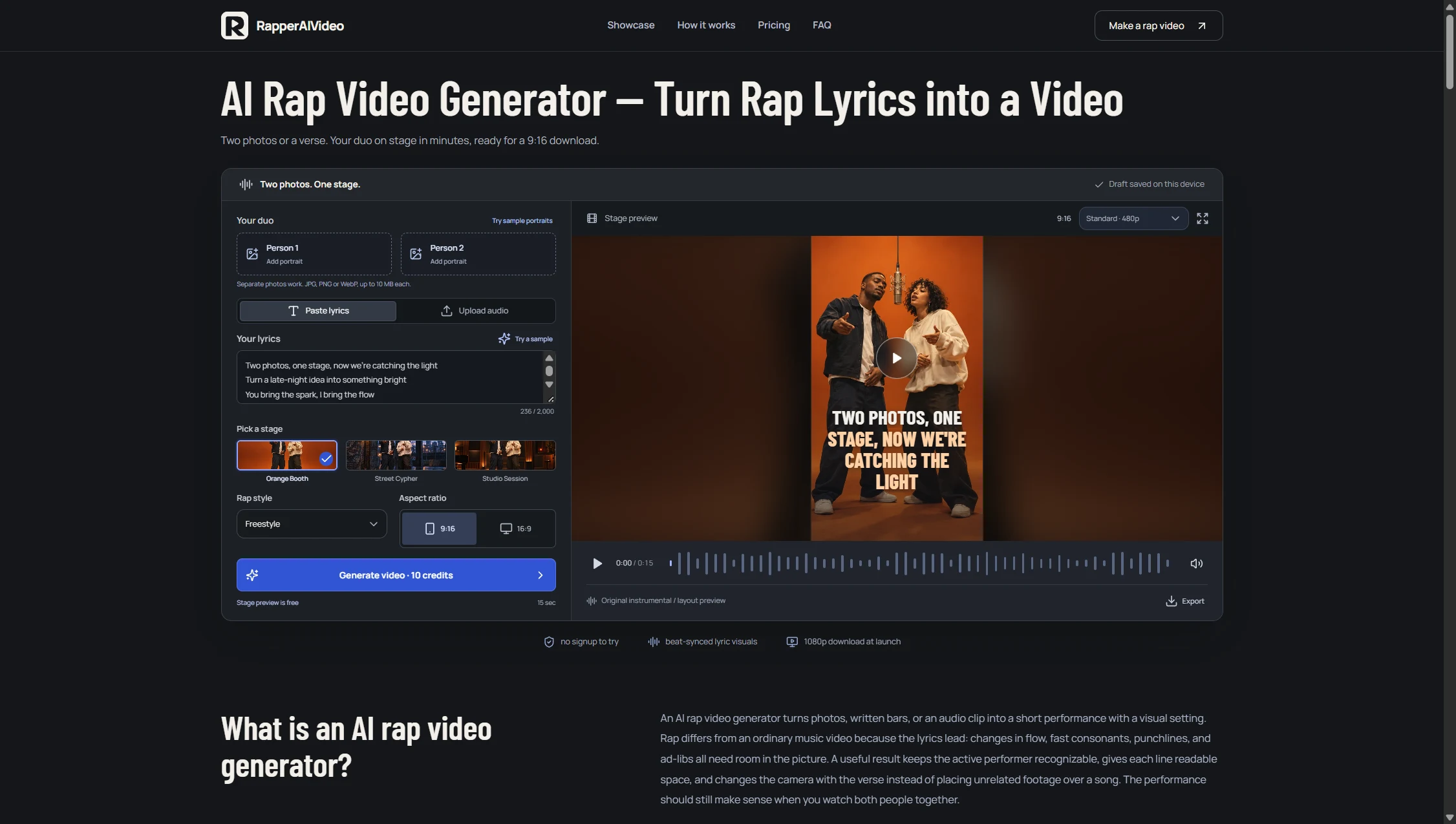
RapperAIVideo is a web studio for creating an original rap performance from two portraits or a photo of two people. Add your own verse, pick a rap style, and choose a stage such as Orange Booth, Street Cypher, or Studio Session. A free layout preview lets you see the framing before you spend any credits. When you are ready, choose a length and resolution, review the credit quote, and render the performance. Standard 480p and HD 720p renders are available for 5, 10, or 15 seconds. One-time packs start at $4.99 for 10 credits, enough for one 15-second Standard render. Finished videos can be found in My Videos.
Turn a rap duet idea and portraits into a short performance without editing each video scene from scratch.
Musicians and creators making short original rap clips
At a glance
- Website
- rapperaivideo.com
- Category
- Video & Photo
- Pricing
- Freemium
- Platforms
- Web
- Ownership
- Unclaimed ·
- Launched
- 18 Nov 2026
Questions about RapperAIVideo
Answers from rapperaivideo.com, RapperAIVideo's own website.
What is RapperAIVideo?
Turn two selfies or one photo together into a short AI rap video. Add your lyrics for AI vocals and a beat, or use your own audio as a reference.
Can an AI rapper generator use synthetic portraits?
You can try the supplied synthetic adult portraits or use reference photos you have permission to include. Choose two separate adults, one adult duo photo, one adult portrait, or one pet photo. The free stage preview does not animate your uploaded photos; a finished performance needs a separate confirmed render.
Do the two people need to be in the same photo?
Choose Two separate portraits for one portrait per adult, or One photo of two adults for a shared photo. Keep faces clear, evenly lit and unobstructed. Solo adult and pet modes each use one photo. Review identity and movement throughout the finished clip; a good opening frame does not guarantee consistency.
Can I use my own beat or audio clip?
You can upload an MP3 or WAV reference lasting 2-15 seconds and up to 15 MB. It must cover the full chosen video length. The file is sent to the generation provider only after you confirm a render. It guides the performance; exact original audio, voice identity and precise lip sync are not guaranteed. Use recordings you have permission to use.
What resolution, format, and length do I get?
Choose a 5-, 10- or 15-second MP4 in Standard 480p or HD 720p, with 9:16 or 16:9 framing. The studio shows the cost for your selected settings and checks a server quote before rendering. Gallery clips may have other historical lengths and are examples. There is no 1080p option.
Who owns the lyrics, photos, and finished video?
We do not claim ownership of the original lyrics and photos you provide. You remain responsible for permission to use those inputs, the people shown, and any music recording. Finished AI output is also subject to the generation provider’s terms and applicable rights. The studio does not give you permission to copy a commercial recording, use an unapproved face, or present a celebrity performance as your own.
How much can I try for free?
The stage preview and local writing templates are free; no paid video credits are included. AI lyric drafts are free after sign-in, up to 3 requests per account per UTC day when available. One-time options start at $4.99 for a Standard video or $29 for a credit pack. The optional monthly plan costs $29.90 per month. One-time credits last 365 days; monthly credits expire at the end of the billing period with no…
Can I use a generated performance commercially?
Commercial use depends on the rights in your inputs and the final provider’s applicable output terms. Read the service terms before requesting a paid render. Do not assume that an example grants permission to use someone else’s recording, trademark, or likeness. Review your own completed output for unwanted text, recognizable music, or an identity error before deciding how to distribute it.
Comments 0
From members who've used RapperAIVideo. Be specific and kind; it helps people decide and helps the makers build.
No comments yet. Tried RapperAIVideo? Start the conversation.