

About AnyScript
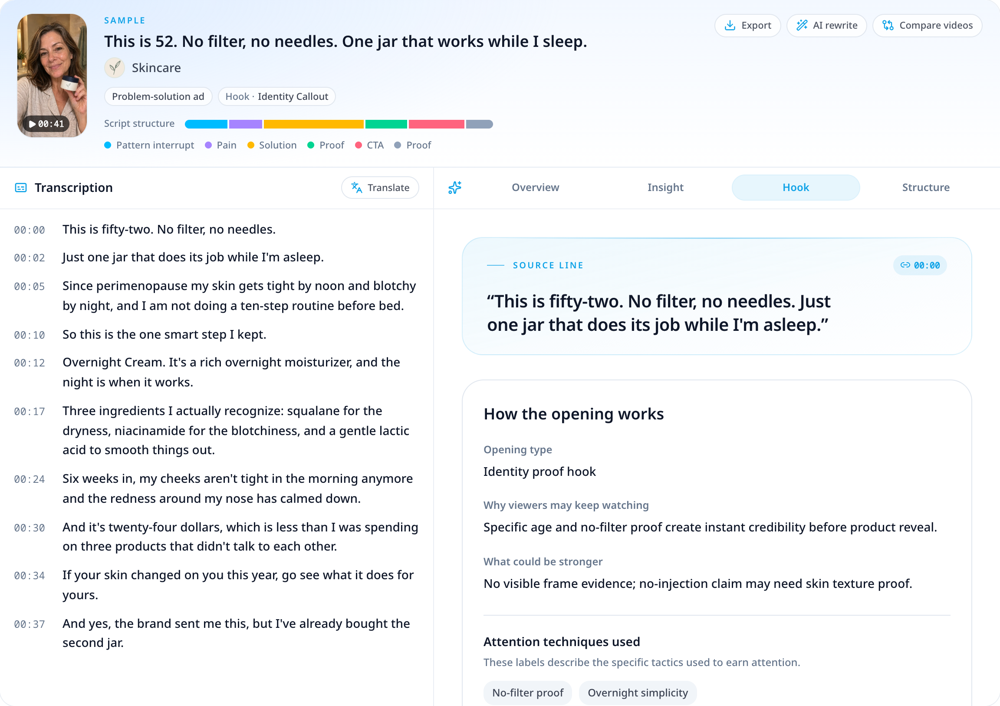
AnyScript is a writing & content product for Web. Timestamped YouTube, Shorts, TikTok and Instagram transcripts for research and original script planning.
AnyScript is a freemium web app for timestamped transcripts from YouTube videos, Shorts, TikTok clips, Instagram videos and audio. The transcript supports source-based research, AI-assisted analysis and planning original scripts. Users should verify names, quotations and important details against the original media. A free tier and paid plans are available. Founded by Jim Chandler.
Creators and researchers need to review spoken source material without repeatedly scrubbing through videos. AnyScript turns supported videos and audio into timestamped text, helping users find relevant passages and check source context before analysis or writing.
Content creators, marketers, researchers and students working with video and audio sources.
At a glance
- Website
- anyscript.app
- Category
- Writing & Content
- Pricing
- Freemium
- Based in
- Los Angeles, United States
- Founded in
- 2026
- Platforms
- Web
- Founders
- Jim Chandler
- Ownership
- Unclaimed ·
- Launched
- 22 Nov 2026
Questions about AnyScript
Answers from anyscript.app, AnyScript's own website.
What is AnyScript?
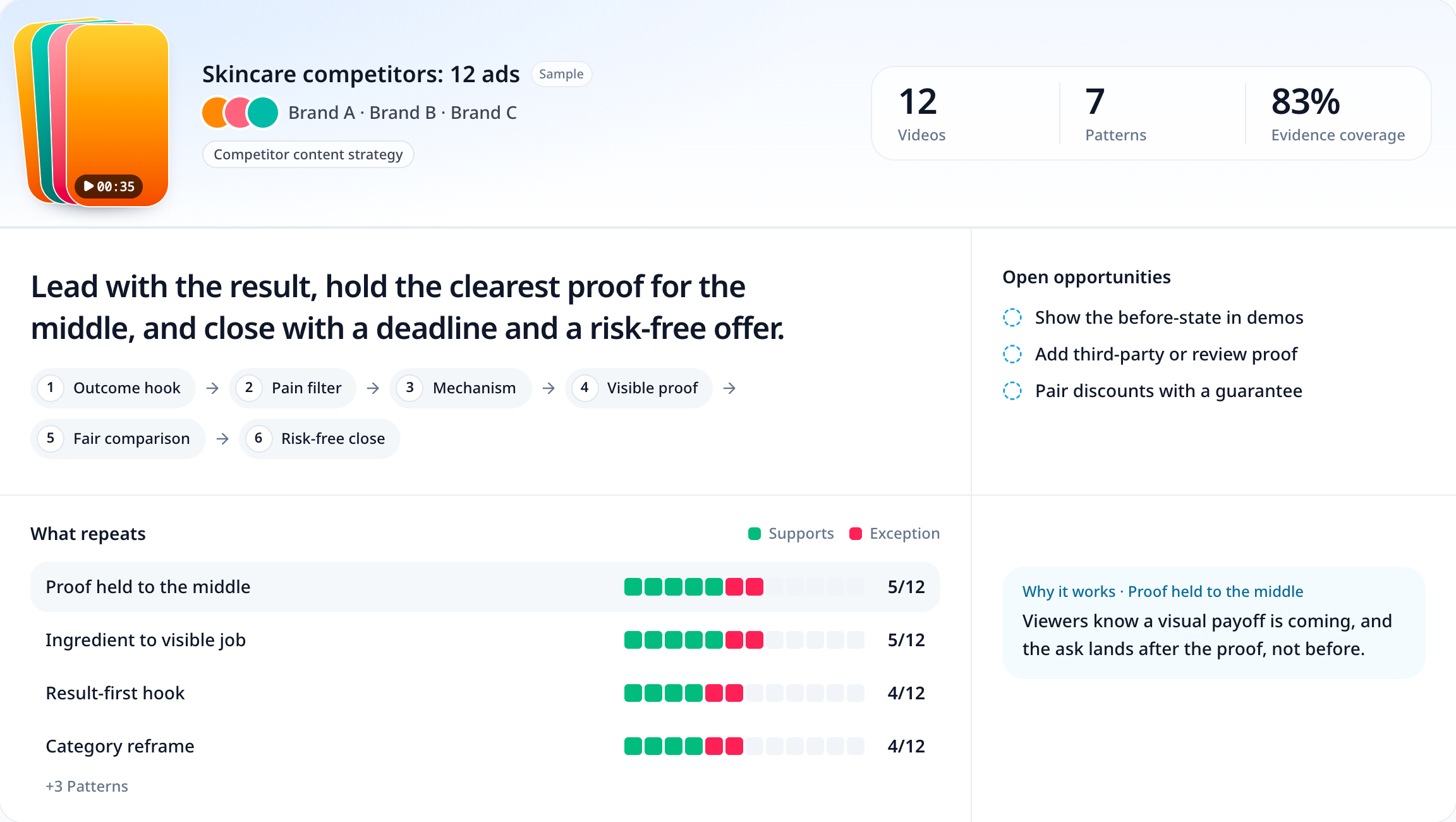
Turn TikTok, Instagram Reels, YouTube, and video ads into text. Analyze hooks, script structure, and content patterns in minutes.
How do I get the transcript of a TikTok, Reel or Short?
Open the video, tap Share, then Copy link. Paste the link into the box at the top of this page and click Transcribe & Analyze. The timestamped transcript appears first and the analysis follows a moment later. You don't need to download the video or have a TikTok, Instagram or YouTube account.
Is AnyScript free? Do I need an account or a credit card?
Free: 2 full video analyses per day · 10 AI questions · 1 Research set preview. Plus: 100 video analyses per month. Pro: Unlimited video analyses.
Does TikTok, Instagram or YouTube Shorts give you a transcript?
Not one you can work with. Captions on the platform are tied to the player: you can read them while the video plays, but not select, search or export them. AnyScript gives you the full text with timestamps, plus translation and export.
Does it work on videos without captions?
Yes. AnyScript uses available captions first. When captions are missing or unusable, it transcribes accessible audio. Clear speech gives the best result; videos with no speech produce no transcript. Public-access and processing limits still apply.
Which platforms and links can I use?
TikTok videos and profiles, Instagram Reels and posts, YouTube Shorts, X posts, Pinterest pins and boards, Google Drive files and folders, direct video links, and public ads from the Meta Ads Library, TikTok Ad Library and TikTok Creative Center. Regular YouTube videos are also supported, up to 10 minutes on Free / Plus and 30 minutes on Pro.
How accurate are the transcripts?
Clear speech transcribes best. Loud music, several people talking at once or strong accents reduce accuracy. Every line has a timestamp, so you can check important wording against the video in one click.
Can I translate the transcript? Which languages are supported?
Yes. The spoken language is detected automatically, and transcripts and analysis can be translated into 180+ languages with timestamps kept. The app itself is available in 10 languages.
Comments 1
From members who've used AnyScript. Be specific and kind; it helps people decide and helps the makers build.
Reading your listing, this is the line that stayed with me: “See a sample transcript and video analysis”. It says a lot about the problem you chose for content creators, marketers, researchers and students workin. My one piece of advice: make the first minute prove the value before you ask people for anything. As you get started here, what do you most want the first people using AnyScript to notice?
Report